🗑️ Delete Your Data
If you'd like to delete your account and all associated data from ScoreGuy, follow the steps below.
📋 Steps to Delete Your Data
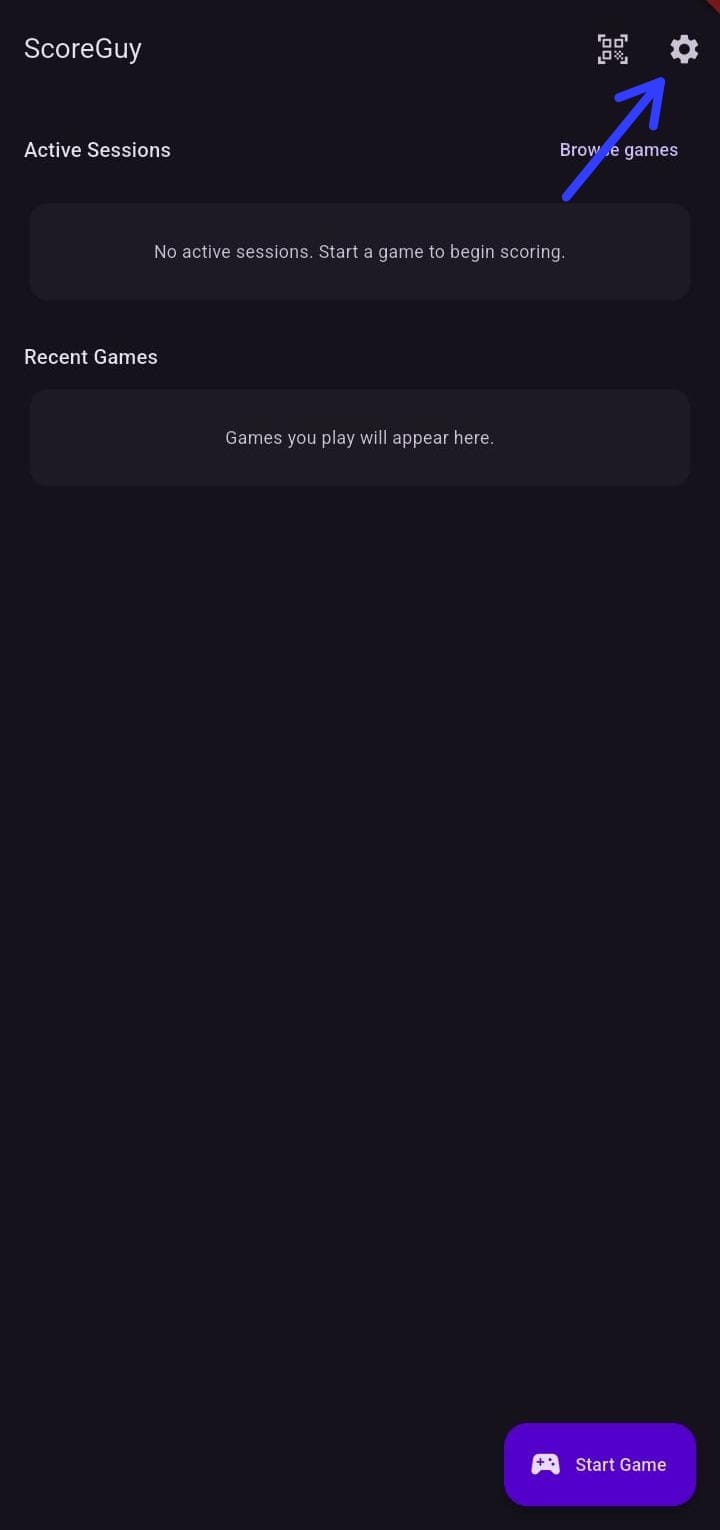
- Open the ScoreGuy app and go to Settings.
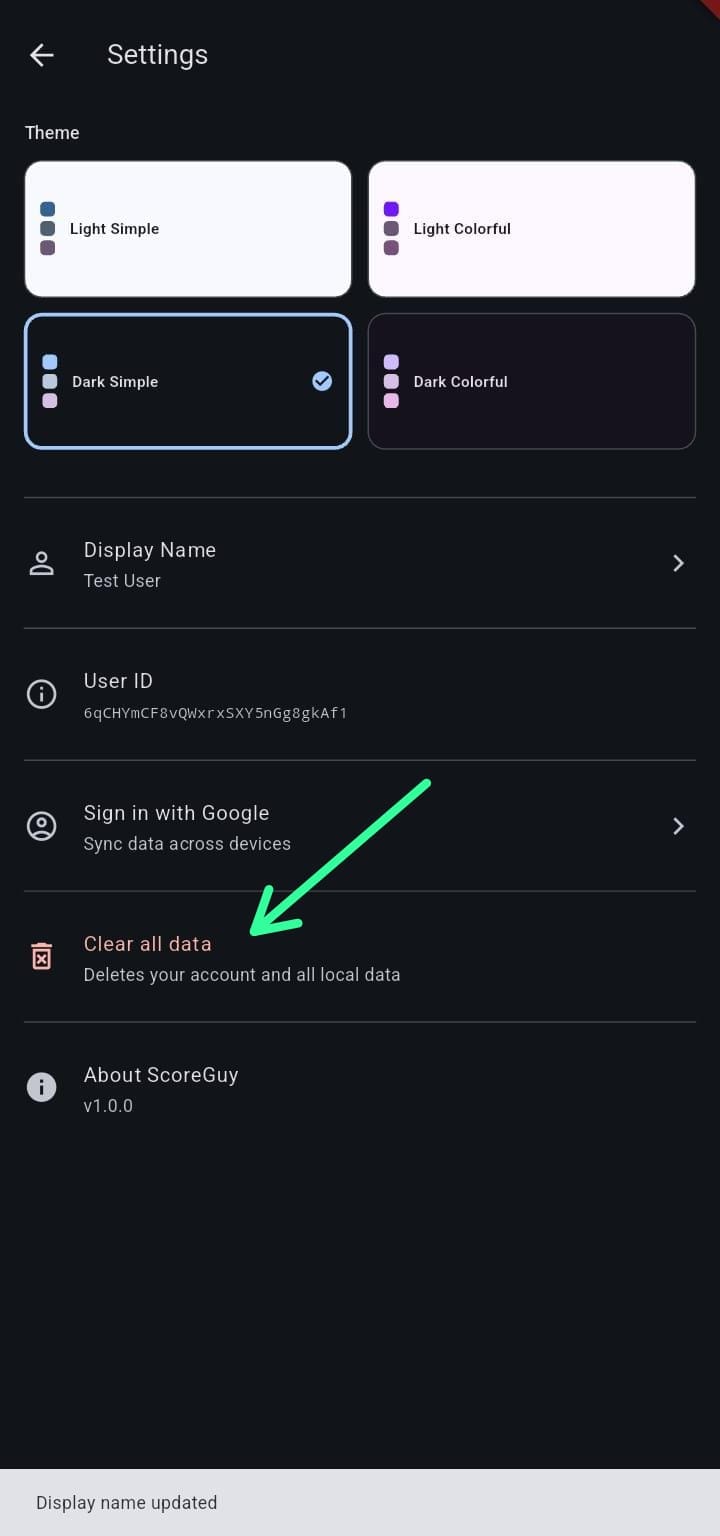
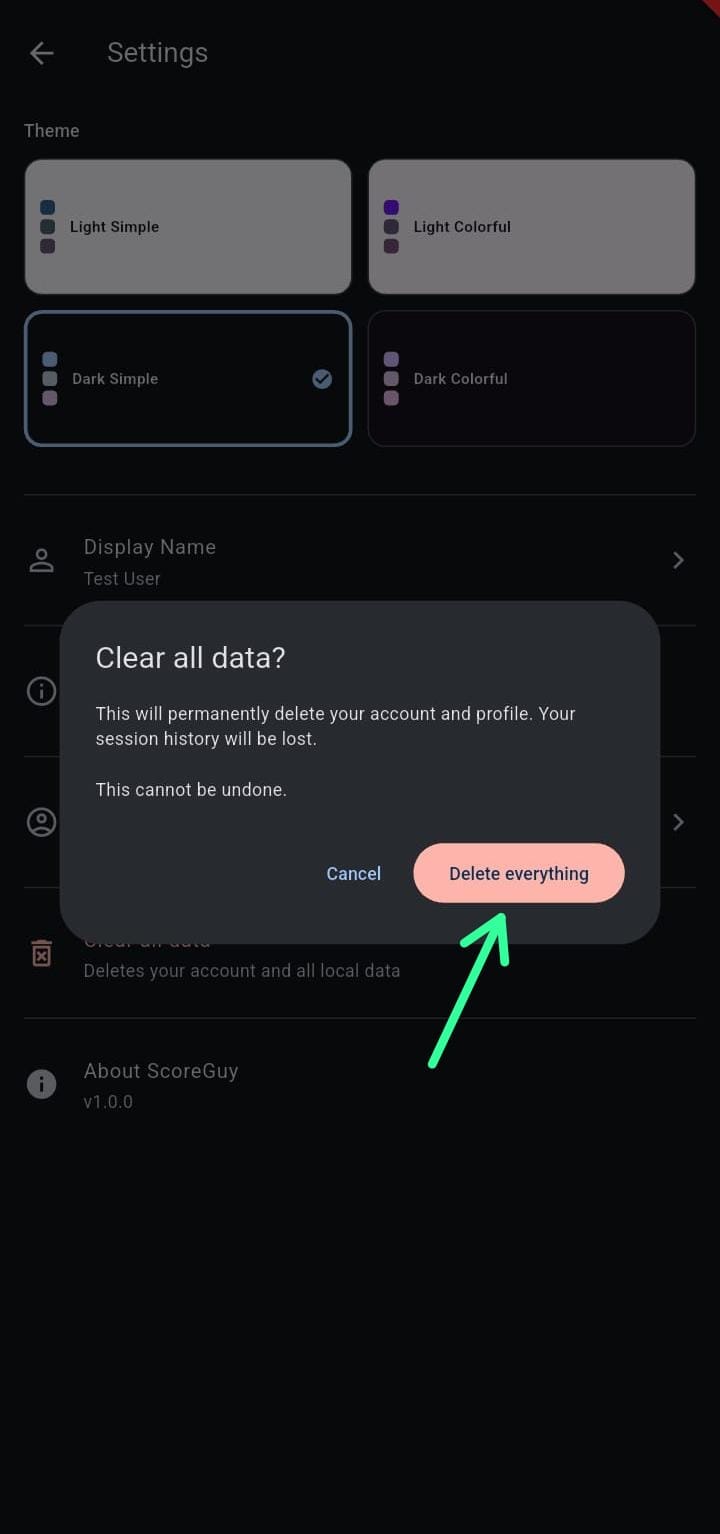
- Tap Clear all data, then select Delete Everything.
- Confirm the deletion when prompted. This will permanently remove your profile, your connection with saved games, and shared history.
📸 Screenshots
Once deleted, your data cannot be recovered. If you have questions, contact us at [support@quantalept.com].